You can use the cPanel's login details to access your Web Disk. It supports various operating systems such as Mobile OS and others.
1. Log in to your cPanel account.
2. In the Files section, click on Web Disk.
3. Under Main Web Disk Account, click on Configure Client Access.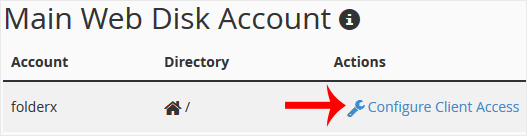
4. Select your operating system from the drop-down menu. Then click on Download Configuration Script.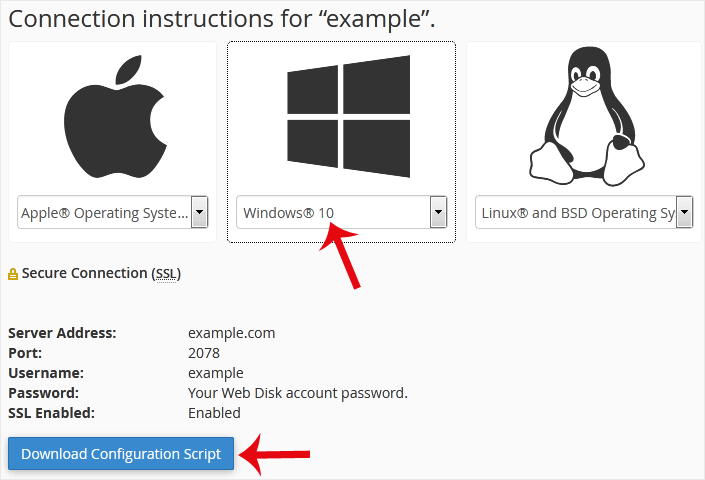
5. Now, open the downloaded script. It may take a few minutes before it prompts you for a username and password. Enter your Web Disk or cPanel login details, and you will be able to access the files on your website.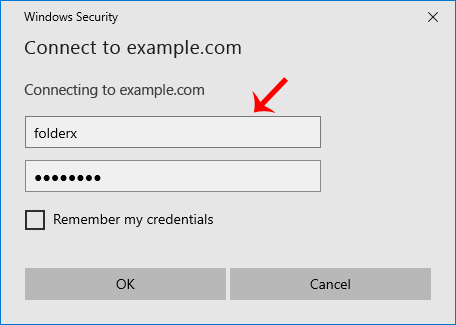
Note: If you use the Windows OS and the server is not using an SSL, enable Digest Authentication. Port 2078 must be allowed in your computer's firewall.